

Feature
The Crash Test: a guitar diagnostic calibrated to your hand
The Crash Test is where RIFFLEX starts. It doesn’t measure your level: it pinpoints the exact motion slowing you down, taking the shape of your hand into account.
Why the tabs are calibrated to your hand
The same tab doesn’t ask the same effort of a small hand and a large one. If a stretch was designed for someone else’s hand, you end up measuring your anatomy instead of your technique.
So the Crash Test starts with a scan: a few questions about how you play (left- or right-handed, sitting or standing), then the camera measures your hand width and finger spread. The tabs are then transposed to the area of the neck that suits your measurements. What gets measured is your block, not your anatomy.
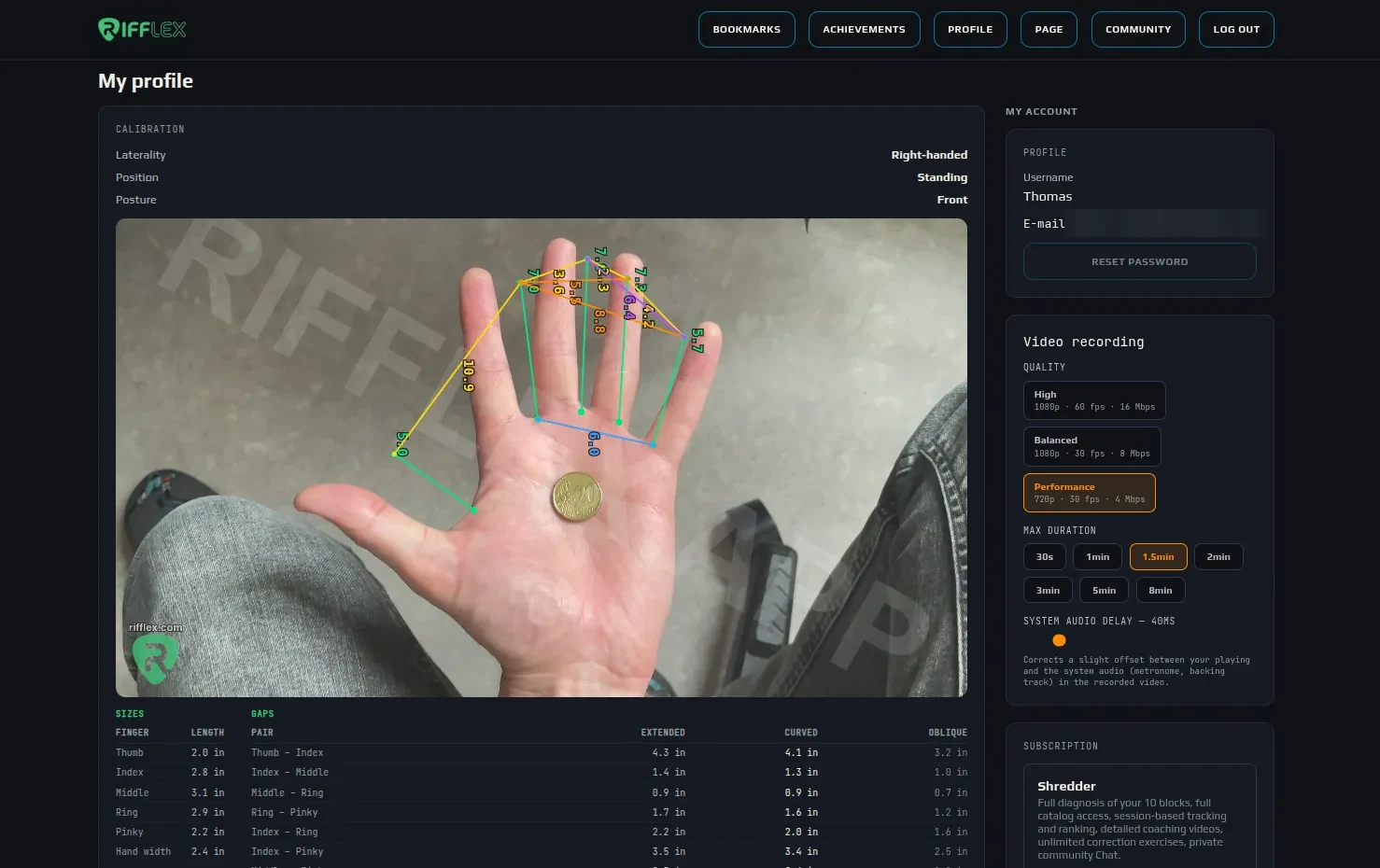
The scan result, saved in your profile: handedness, position, the length of each finger and the gap between each pair of fingers, stretched, curled and slanted. The coin is the scale used to turn pixels into centimetres.
How the test works
The first Crash Test covers legato. It moves through stages where only one difficulty changes at a time: finger combinations, stretch, string change, position shift, string skipping.
For each exercise, you play along with the built-in metronome and push the tempo up. The BPM you reach and the number of attempts you need are recorded. Comparing those results is what makes the diagnostic speak.
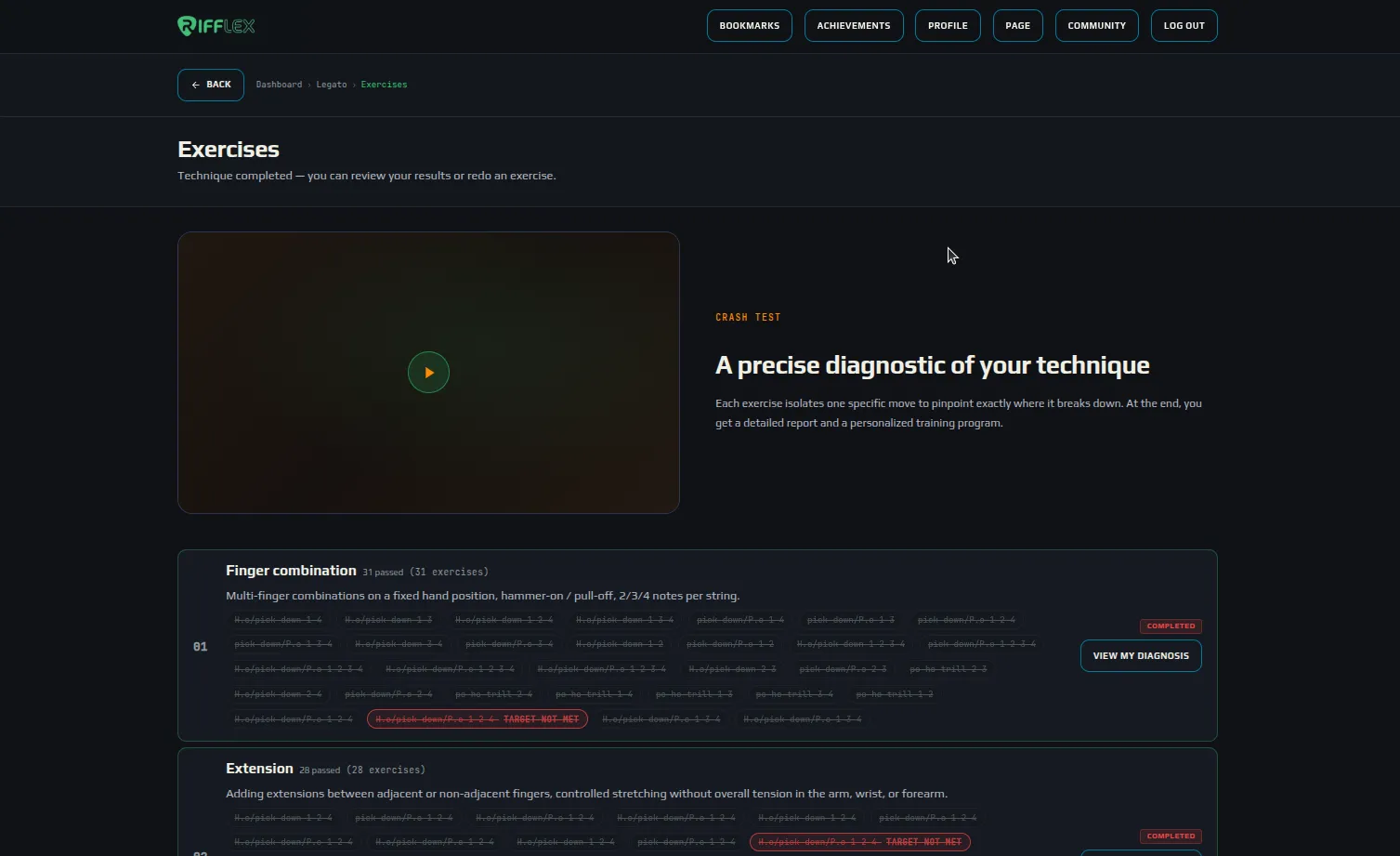
The legato Crash Test split into stages. Each stage groups its exercises; those whose target was missed stand out in red, and each finished stage opens its own diagnostic.
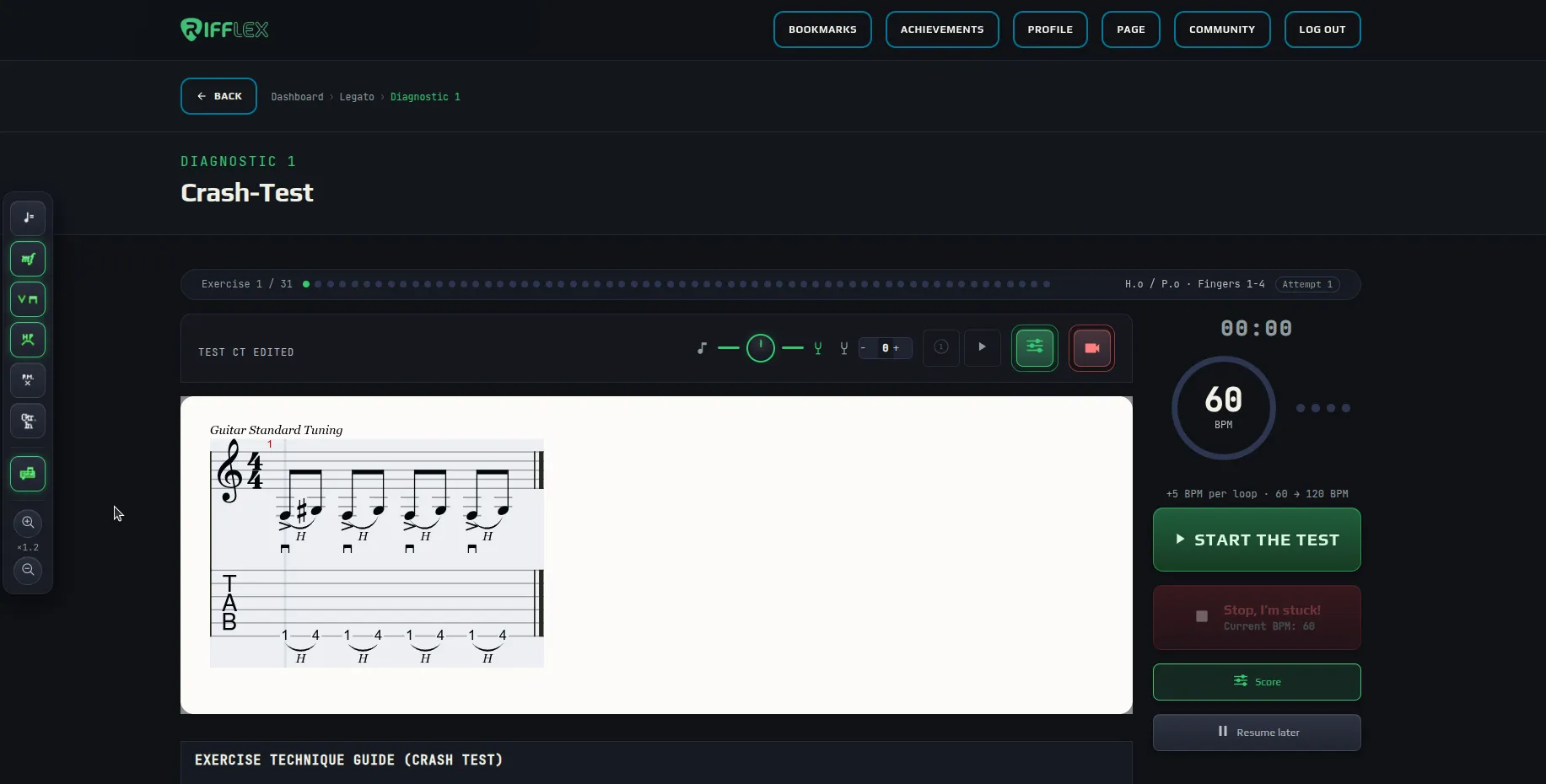
A Crash Test exercise, the way you play it.
- Exercise trail
- Exercise 1 of 31: one dot per stage, the motion being tested (here hammer-on and pull-off, fingers 1-4) and your attempt number.
- Calibrated tab
- The frets are picked from your hand measurements, not for an average hand.
- Metronome
- Starts at 60 BPM and adds 5 BPM every loop, up to 120 BPM.
- Start the test
- Starts the count-in, then the exercise.
- Stop, I’m stuck!
- Press it as soon as you can’t keep up: the tempo reached is saved for the report.
- Resume later
- Pauses the diagnostic: you pick it up where you left off.




Greyed-out buttons belong to higher plans: you can see them, and they turn on with the matching plan. Video settings light up once you open the video band; a visitor without an account has no video.
- Score / metronome balance
- The round knob balances the score volume (the note, left) against the metronome click (the tuning fork, right).
- Transposition
- − and + lower or raise the score sound by a semitone, without changing the tab.
- Count-in
- One bar of clicks before you start, to lock into the tempo.
- Play the score
- Lets you hear the exercise at its tempo before playing it.
- Score background
- In video mode: white, black or no background behind the score, so it stays readable over your webcam.
- Tab colour
- In video mode: white or black tab, depending on your picture.
- Bar-by-bar scrolling
- In video mode: the score moves one bar at a time instead of scrolling continuously. Shredder and above.
- Your logo
- In video mode: replaces the RIFFLEX logo with yours. VIP and above.
- Notation options
- Opens the side bar that shows or hides score elements (detailed below).
- Record
- Opens the video band: your webcam under the score.
- System audio
- Adds the score and metronome sound to the video, on top of your microphone.
- Format
- Switches the video between vertical (mobile networks) and horizontal.
- Download
- Gets the video once the recording is over.


The notation options side bar, opened from the control bar. The position settings only show up in video mode.
- Tempo
- Shows or hides the tempo marking on the score.
- Dynamics (mf)
- Shows dynamics: f, p, mf…
- Pick strokes
- Shows the direction of each stroke, down or up.
- Hammer-on, pull-off, tapping
- Shows the H, P and T letters above slurred notes.
- Palm mute (P.M.)
- Shows muted passages.
- Track name
- Shows the instrument name at the start of the staff.
- Staff + tab
- Switches between standard notation with the tab, or the tab alone with rhythm.
- Zoom
- Enlarges or shrinks the score; the factor shows between the two buttons.
- Move up / down
- In video mode: moves the score inside the band to place it where you want over your picture.
- Cursor position
- In video mode: crops the top and bottom of the score to keep only the staff you need.
What you get at the end
A report where each chart answers a question: which finger combination limits you most, which motion costs you the most BPM, on which strings your motions are hardest, which stretch costs you the most speed.
A score out of 100 that breaks your performance down into readable factors: speed, finger independence, consistency, endurance and anatomical margin.
Then a library of measured exercises, sorted by block, so you can work on exactly what your report reveals.
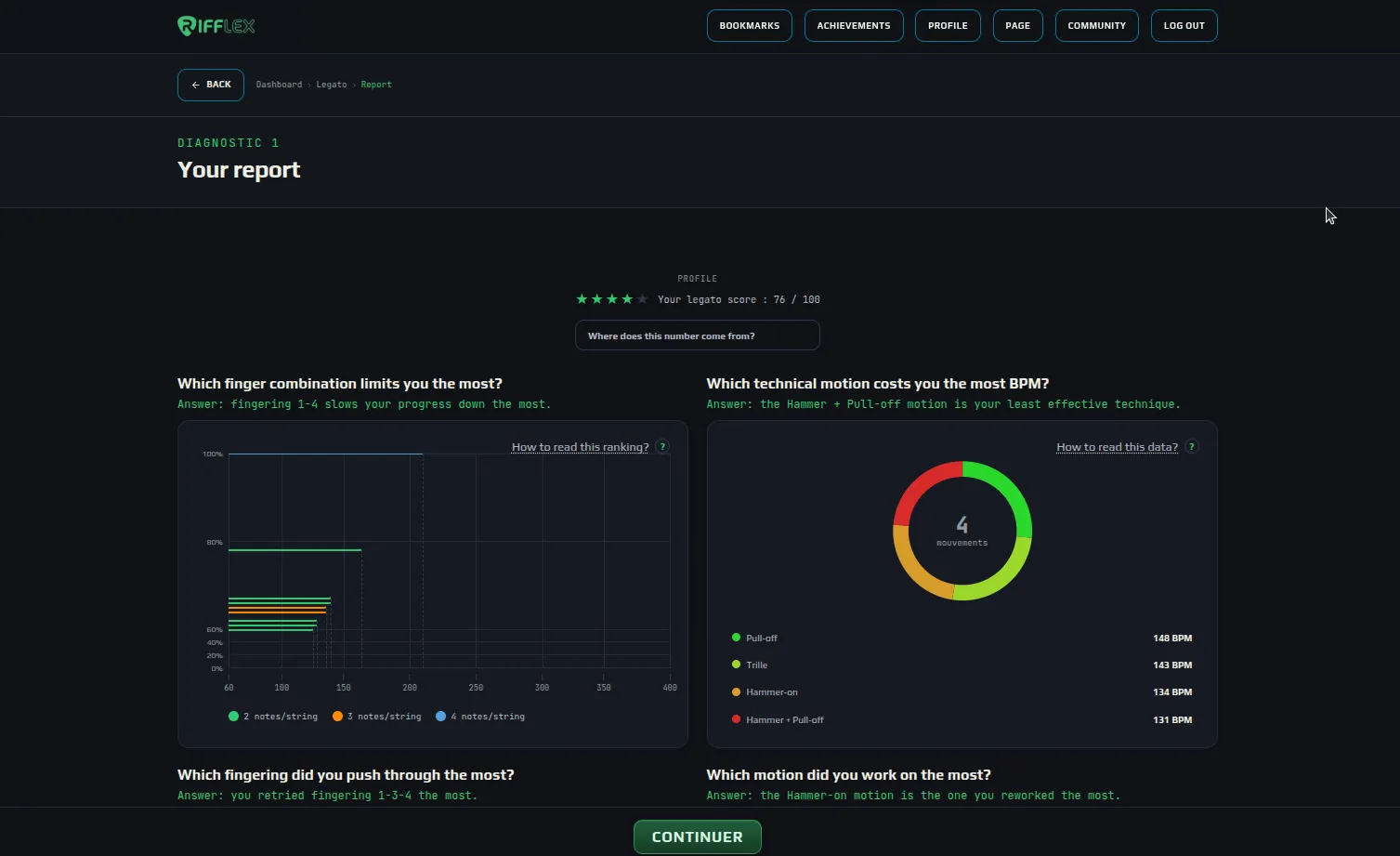
Your report: a score out of 100 (with how it’s calculated), then a series of charts. Each one asks a question and answers it in one sentence, drawn from your tempos.
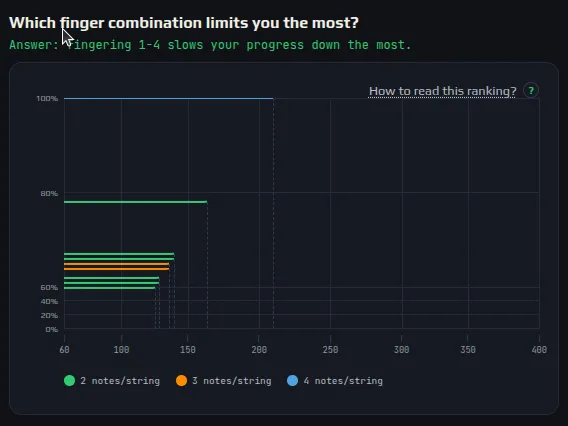
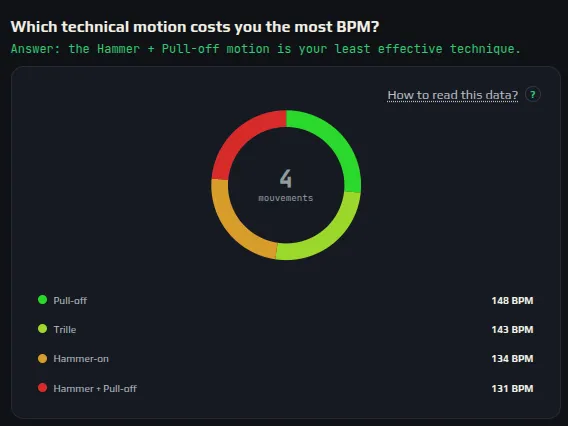
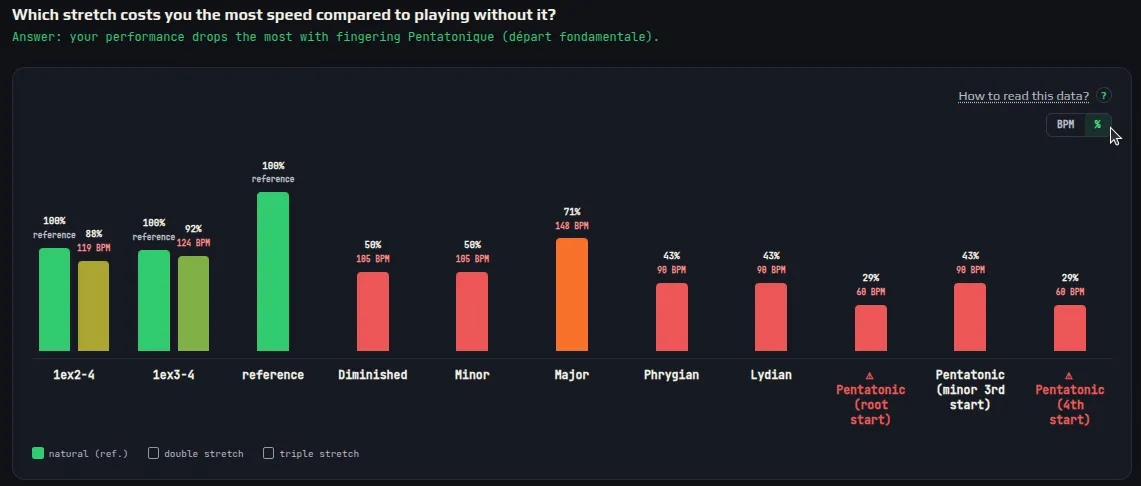
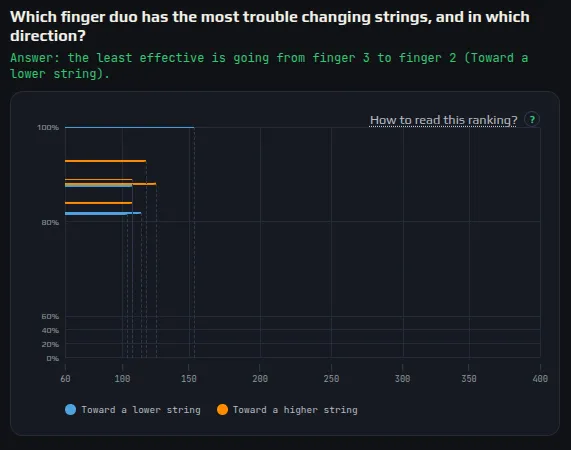
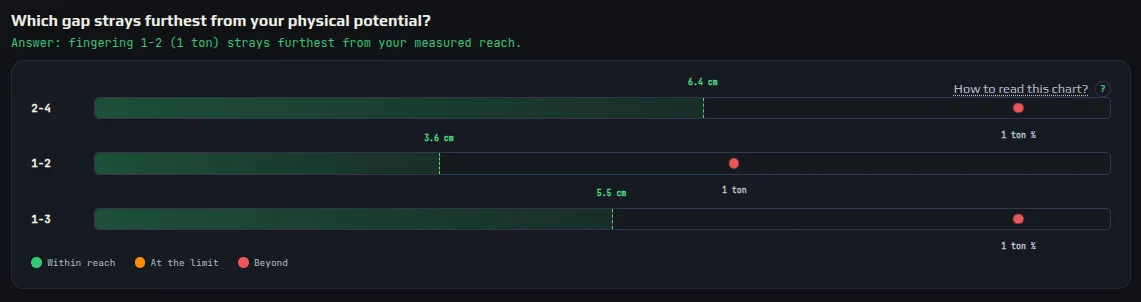
A few report charts: each answers a question, with the answer written in green under the title.
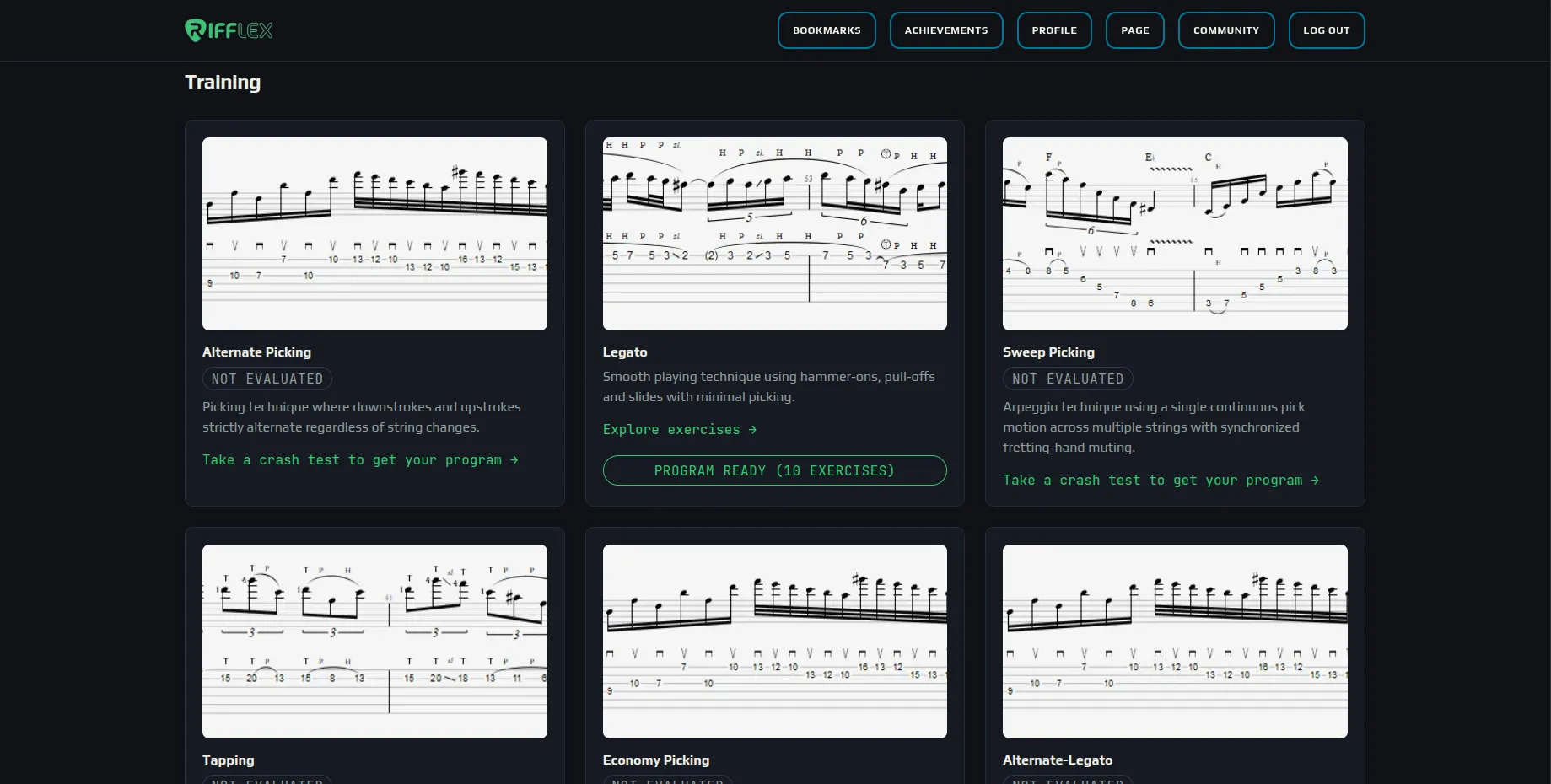
After the Crash Test, the diagnosed technique shows your program: here, 10 legato exercises picked from your report. Techniques not yet assessed invite you to take their Crash Test.